Scheduling that handles every rotation, every shift
24/48, 48/96, Kelly days, custom patterns — Daily Roster runs the calendar math, sends the callouts, and keeps every station's coverage visible in real time.
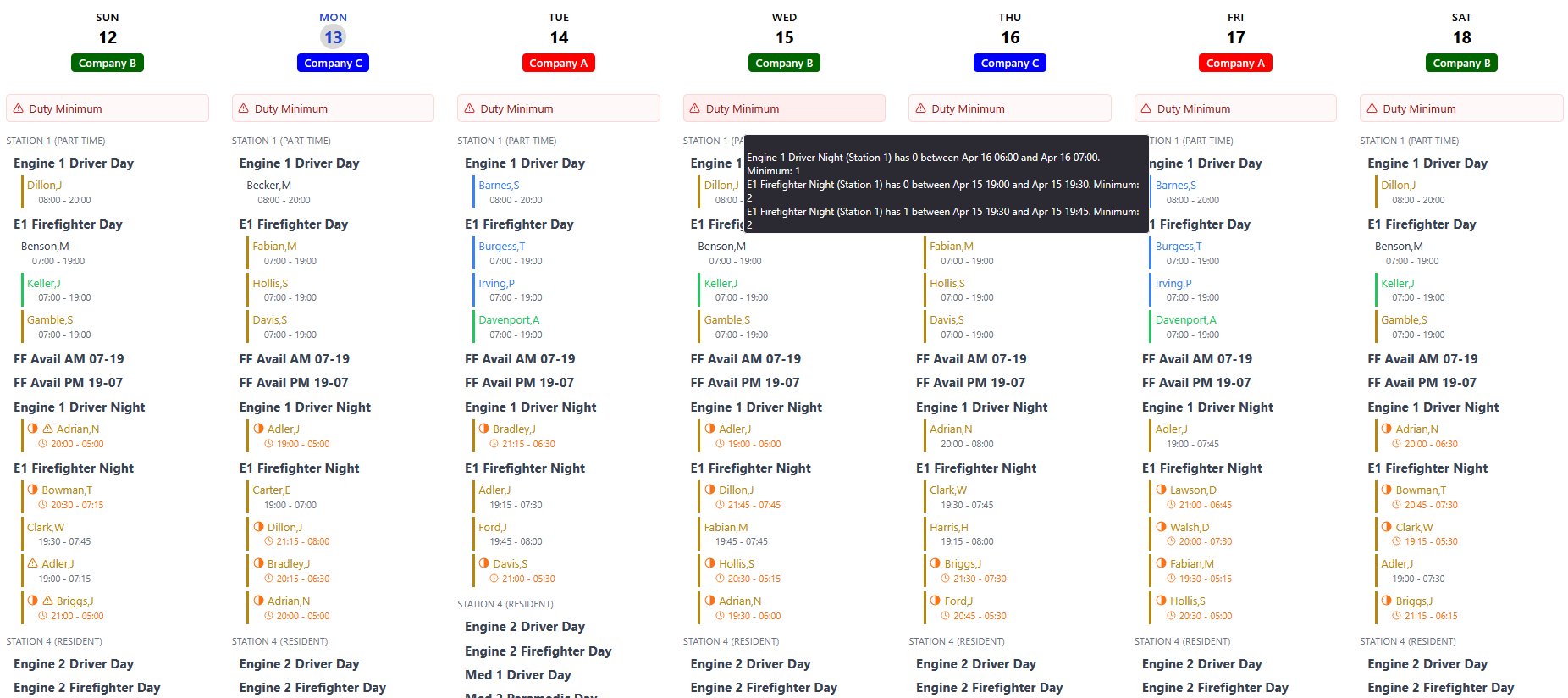
Every rotation pattern your department runs
Set up the rotation once and Daily Roster handles the calendar math from there — across every station, every shift, every Kelly day.
-
24/48, 48/96 & custom patterns Pick from common rotations or build a custom pattern. Multi-week cycles, alternating shifts, and partial-day patterns are all supported.
-
Kelly days & short-day handling Configure Kelly day frequency by platoon. Daily Roster places them on the calendar automatically and adjusts coverage expectations.
-
Multi-station, multi-duty assignment Assign personnel to specific stations, apparatus, and roles. Rotations apply at the platoon level while assignments stay flexible.
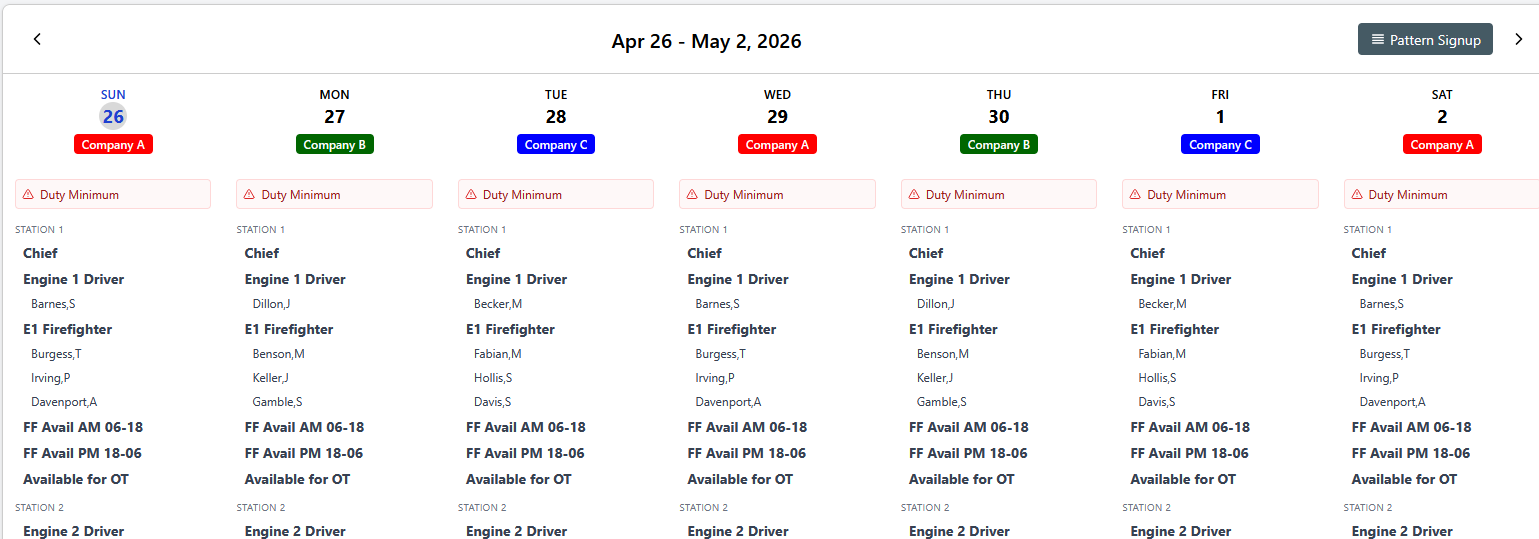
Fill open shifts in minutes, not phone calls
Send a callout to the right people instantly, capture every response automatically, and keep a clean log for accountability.
-
SMS & email — together or separately Choose how each callout goes out. Recipients receive a single, consistent message regardless of channel.
-
Accept / Decline replies Members reply directly from their phone. Responses land back in Daily Roster — no phone tag, no manual tracking.
-
Rankings & rules-based callouts Build call lists by seniority, overtime hours, or forced-overtime order — the right people get contacted in the right order, automatically.
-
Full message log for accountability Every callout, response, and follow-up is logged with timestamp and channel — auditable any time you need it.
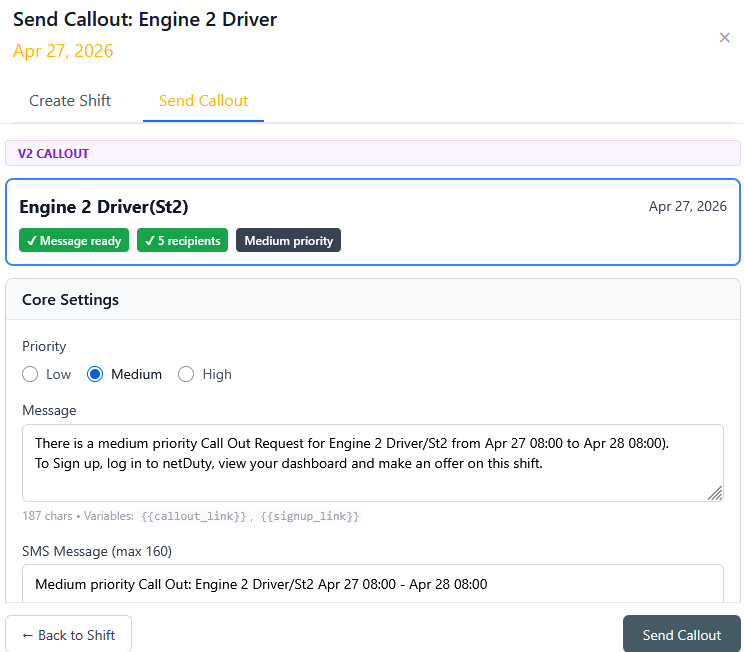
Every station, every shift — visible at a glance
A live, station-level view of who's on, who's missing, and where the gaps are. Push it to wall displays, mobile, or both.
-
Real-time station-by-station view See each station's current staffing, apparatus assignments, and on-duty personnel without scrolling between screens.
-
Live coverage gap alerts Daily Roster flags understaffed shifts the moment they fall below your minimums — by station and by apparatus.
-
Minimum staffing alerts Set per-station and per-apparatus minimums. Daily Roster proactively notifies the right people the moment a shift falls below them — before it becomes a problem.
-
Shift-level personnel detail Drill into any shift to see assigned personnel, certs, and acting roles — all from the same dashboard.
-
Station 1 · HQ8/8
-
Station 2 · North6/6
-
Station 3 · West3/4
-
Station 4 · South2/4
-
Station 5 · East5/5
Plays nicely with the tools you already run
Daily Roster syncs with the systems already on your station wall, so your roster, callouts, and coverage display stay in step.
-
First Arriving & Tablet Command sync Schedule and roster data flow into your station's information display and command tablets automatically.
-
RMS integrations Connect with your records management system so personnel, certifications, and roster data stay aligned across the tools your department already runs on.
-
REST API for custom integrations Push roster data into payroll, dispatch, or your own internal tools through a clean, documented API.
-
Built for interoperability Secure, auditable connections — designed so your IT team can review and approve every endpoint before it goes live.
From the schedule to payroll, under your department's CBA
Enter your collective bargaining agreement's pay rules once. Daily Roster applies them to every shift worked, so the hours that reach payroll already reflect the contract.
-
Your contract, configured Overtime thresholds, holdover and call-back minimums, holiday premiums, and differentials set to match your CBA language.
-
Applied to every shift Each shift worked is evaluated against the rules and broken into pay codes automatically, including FLSA work-period overtime.
-
Payroll-ready output Hours by pay code for each member, ready to export to payroll as CSV, Excel, or PDF.
-
Traceable to the rule Every pay line shows which rule produced it, so questions from members or the union can be answered from the record.
- Holdover paid as overtimeArt. 12.3
- Holiday premium on scheduled hoursArt. 15.1
- FLSA 207(k) work period tracked28-day cycle
| Code | Description | Hours |
|---|---|---|
| REG | Regular | 24.0 |
| HOL | Holiday premium | 24.0 |
| OT | Overtime 1.5× | 2.0 |
One straightforward plan
Up to 50 users · 30-day free trial
Larger department or multi-station county? Request a custom quote →
See it in your department
A short, no-pressure walkthrough of how Daily Roster runs your rotations, callouts, and coverage display.
- 30-minute demo tailored to your rotation pattern
- We'll walk through callouts, coverage, and station-level views
- Full trial access starts the same day
- No spam — one contact to set up the walkthrough
Request a Demo
Fill out the form and we'll be in touch within one business day.